Still a wall switch. Now also in your pocket.
The 22 System app connects a Bocci switch to your home Wi-Fi, then lets you control it from anywhere. The button on the wall never stops working, with or without the app, with or without the internet.
The app isn't in the stores yet. It's in internal testing while the Bocci developer accounts are verified. Email support@22system.com to be added to the beta and we'll send install instructions.
What you actually get
Two screens do almost all of the work. Everything else is there when you need it and out of the way when you don't.
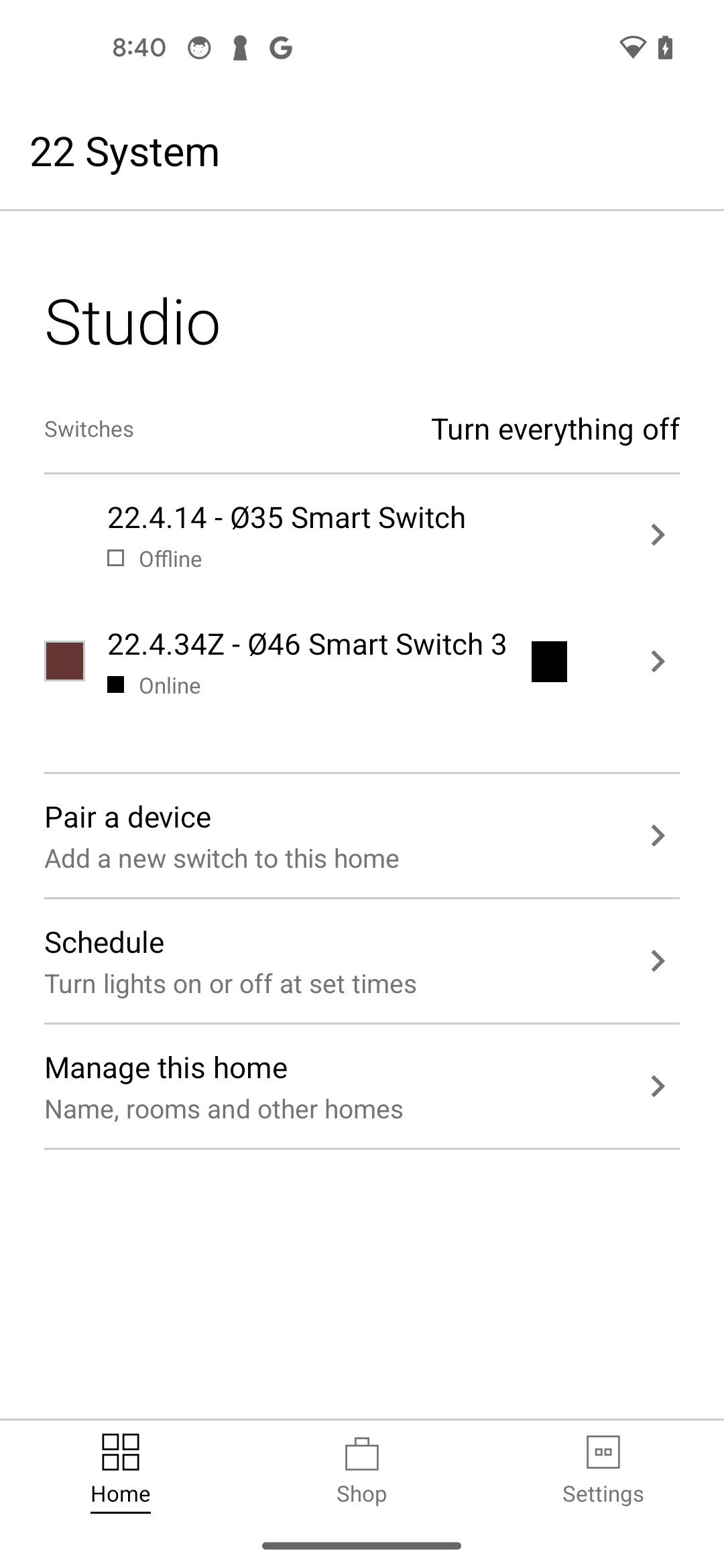
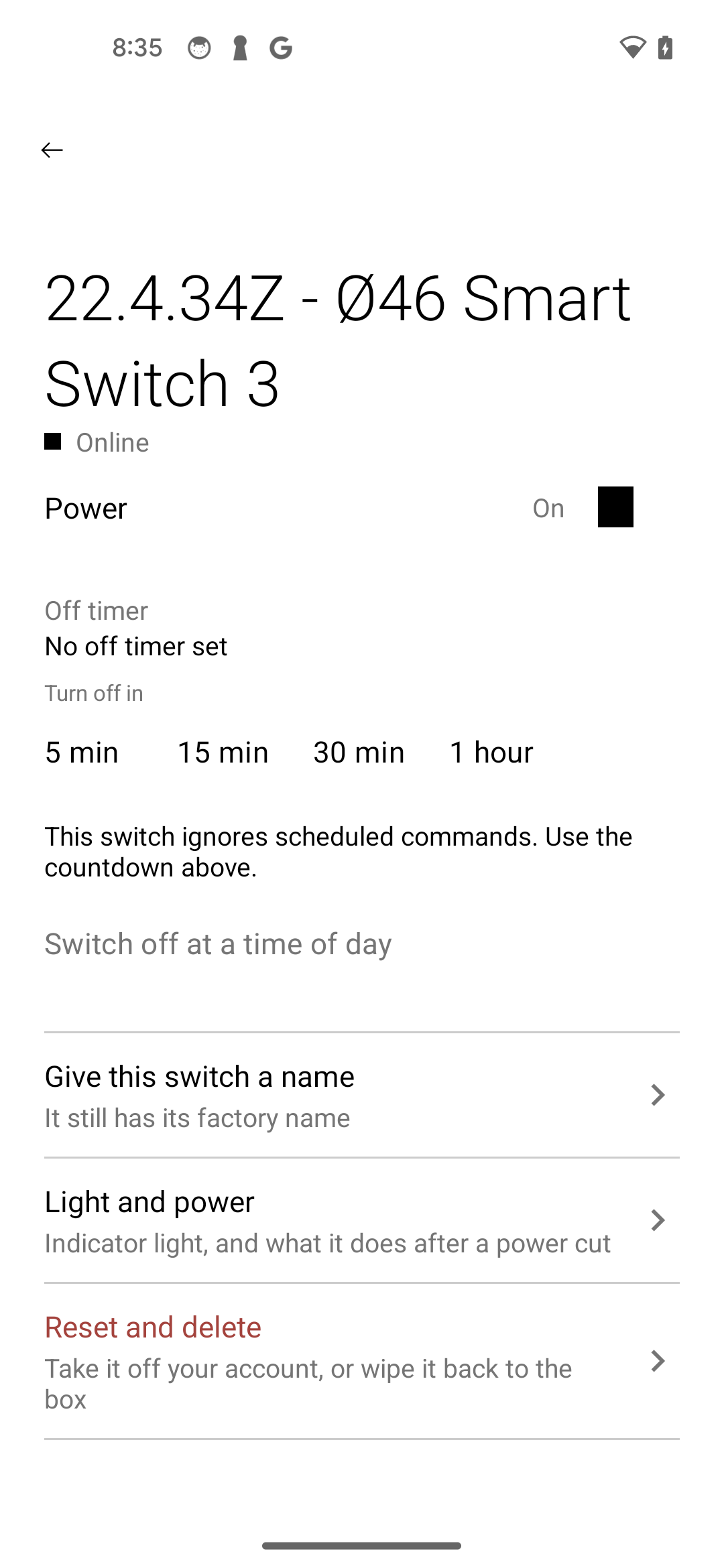
Set up in three steps
Pair
The app finds switches nearby and works through the setup methods on its own. It shows you the network the switch will join, and warns you if it's 5 GHz before you lose ten minutes to it.
Name
Give each switch and each room a name that means something, so the list reads like your house instead of a list of hardware.
Forget about it
Use the wall switch as you always have. The app is there for the times you're not standing next to it.
Why you'd want it
The lights you forgot
You're on the motorway and the hallway light is on. Turn it off from the passenger seat.
Nothing breaks if the app goes
The switch is a wall switch first. No phone, no Wi-Fi, no account, no problem. Press it and the light comes on.
Three circuits, one plate
One, two and three gang switches control their circuits independently, so a single plate can run three different lights.
A timer that doesn't need your phone
Set a switch to turn itself off in fifteen minutes. The countdown runs on the switch, so it still fires if your phone is dead or the connection drops.
Leaving the house
Turn off every switch in a home, or every switch in one room, without walking the hallway twice.
After the power cut
Decide what each switch does when the power returns: off, on, or exactly as it was. No more coming home to every light in the house burning.
Find the switch in the dark
The indicator light can glow while the light is off, so you can find the plate at night, or stay dark entirely if you'd rather.
Know when a switch stays offline
Turn on notifications and the app asks the platform to watch each of your switches. If one drops off and stays off, your phone tells you. Deliberately not instant: the alert needs more than half an hour of silence, so a Wi-Fi blip at midnight does not wake you.
One tap for the whole room
Make a scene, Morning or Night or Away, and set what every switch should do. Then it is one tap instead of six. Three templates to start from if you would rather not begin with a blank one.
Share the home, not the password
Invite the people you live with by email. Each joins with their own account and can switch the home's lights, and you can take them off again whenever you like. Nobody passes a password around.
Lights that follow the sun
On at sunset, off at sunrise, with the times moving through the year on their own. Your phone works them out from an approximate location it reads once and keeps to itself.
On your wrist
A Wear OS watch app shows your favourite lights and scenes as tiles. Tap one to switch it, and see at a glance what is on, what is off and what has dropped offline.
Watch the install before you start
Nine short films in the app, grouped by region, covering the whole job from the wiring to the pairing. Worth three minutes before you take the old plate off the wall.
Help that goes somewhere
Answers are built into the app. When something does go wrong it shows a short code our support team can look up, instead of asking you to describe it.
What you need
- A Bocci 22 System smart switch.
- A 2.4 GHz Wi-Fi network. The switches can't join 5 GHz.
- An account, made with your email address.
- An iPhone, iPad, or an Android phone.
The FAQ covers setup, Wi-Fi and troubleshooting. The privacy policy sets out exactly what the app collects and who processes it, and you can delete your account from inside the app or from the account deletion page without emailing anyone.
The app isn't in the stores yet. Email support@22system.com to be added to the beta.